The Group Knowledge Base provides information on getting started with local resources at the E5 Nexus Lab at SJTU. We hope that new group members will find this information helpful.
- HPC @ SJTU
- 交我算子账号申请
- 使用VS Code直连登录节点可能触发”Violation of usage policy”,建议在本地使用VS Code编辑脚本后,先上传至登录节点(可通过scp、sftp、rsync、git等工具;注意服务器端的git需配置代理),再提交作业至计算节点。在本地使用VS Code编辑的一大优势是可以自行配置Copilot等现代AI工具,从而大幅提升编码效率。
- 如确有需要在集群上分析large datasets(不方便下载到本地),可以申请一个计算节点,并使用VS Code的Remote-SSH插件连接该计算节点进行分析,相关
.ssh/config配置参考如下,注意替换$USER、设置免密登录、以及首次连接新主机时在提示处键入yes。# ==========SJTU login and data transfer nodes========== Host pilogin sylogin data sydata HostName %h.hpc.sjtu.edu.cn User $USER IdentityFile ~/.ssh/id_rsa CertificateFile ~/.ssh/id_rsa-cert.pub # ==========SJTU compute nodes (dynamic)========== Host compute HostName casXXX User $USER IdentityFile ~/.ssh/id_rsa CertificateFile ~/.ssh/id_rsa-cert.pub ProxyJump pilogin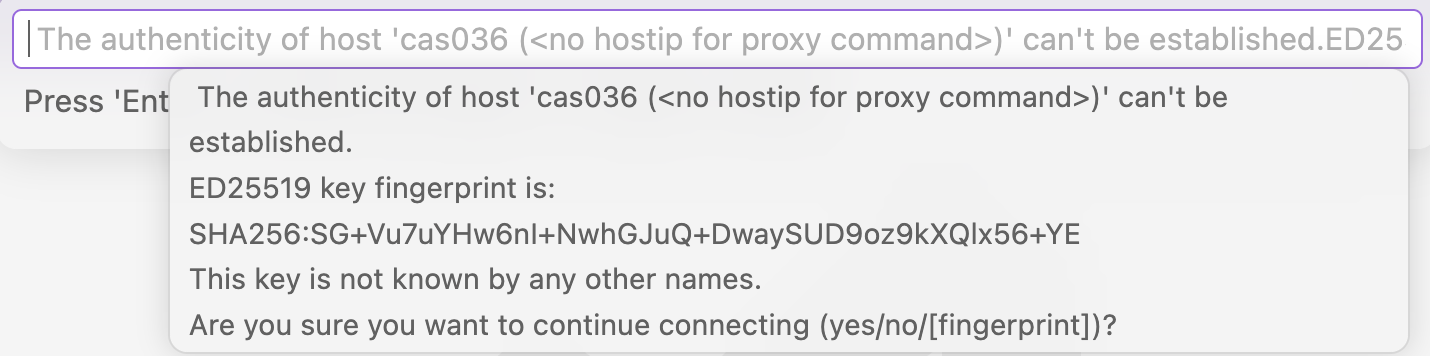
- GEOS-Chem
- GEOS-Chem全球大气化学传输模型的驱动数据存放在Pi集群:
/lustre/home/acct-fei.yao/share/ExtData,如需下载更多数据,须经课题组讨论通过,如数据也会被课题组其他成员使用。自定义数据请在HEMCO_Config.rc中单独定义路径。 - 自2026年起,绝大部分GEOS-Chem的驱动数据已被移至geos-chem.s3,包括先前存放在WashU的大量MERRA-2历史数据。因此,必须下载安装AWS CLI来访问这些数据,克服
sudo的自定义安装命令参考./aws/install -i /path/to/aws-cli -b /path/to/bin。 - Sample environment file for the Intel oneAPI on Pi cluster at SJTU:
#!/bin/bash

# usage: source /path/to/set-GC-v14.1.1-intel-hpc.sh

#==============================================================================
# Modules (specific to Pi cluster at SJTU)
#==============================================================================

# Unload all modules
module purge

# compiler
module load oneapi/2021.4.0
export FC=ifort

# netCDF variables for cmake
module load netcdf-c/4.9.2-intel-2021.4.0
export NETCDF_C_ROOT=`nc-config --prefix`
module load netcdf-fortran/4.5.2-intel-2021.4.0
export NETCDF_FORTRAN_ROOT=`nf-config --prefix`
# hdf5/1.14.1-2-intel-2021.4.0 automatically loaded as per the above netCDF modules

# CMake 3.13 or higher is required
module load cmake/3.29.4-gcc-12.3.0

# Parallelization settings
# export OMP_NUM_THREADS=16 # to be set by $SLURM_CPUS_PER_TASK
ulimit -s unlimited
export OMP_STACKSIZE=500m
Note that Pi cluster at SJTU employs Intel Xeon CPUs, which means that the Intel oneAPI is the best choice for compiling and running GEOS-Chem. Do NOT use the GNU Fortran compiler in the absence of AMD CPUs. See discussion here.
- Sample run script for SLURM on Pi cluster at SJTU:
#!/bin/bash

#-- begin of SLURM options --
#SBATCH --chdir=/path/to/gc_2x25_47L_merra2_fullchem_RRTMG
#SBATCH --job-name=gc_2x25_47L_merra2_fullchem_RRTMG
#SBATCH --output=gcclassic.out
#SBATCH --error=gcclassic.err
#SBATCH --partition=cpu
#SBATCH --nodes=1
#SBATCH --ntasks=1
#SBATCH --cpus-per-task=16
#-- end of SLURM options --

# load the computing environment for running GCClassic
source /path/to/set-GC-v14.1.1-intel-hpc.sh
export OMP_NUM_THREADS=$SLURM_CPUS_PER_TASK

# run GCClassic
time -p ./gcclassic > GC.log 2>&1

# exit normally
exit 0
Note that GCClassic uses OpenMP, which is a shared-memory parallelization model. Using OpenMP limits GCClassic to one task (
--ntasks=1) with multiple threads (--cpus-per-task=16andexport OMP_NUM_THREADS=$SLURM_CPUS_PER_TASK) on a single node (--nodes=1). That said, we can submit as many GCClassic jobs as necessary to run simultaneously, for example, when conducting a series of emission reduction experiments. However, please limit the number of CPU cores per job to a reasonable value (typically 16), as GCClassic does not scale perfectly due to its unparallelizable portion of the code (Amdahl’s law). Please use computing resources responsibly, as every CPU hour incurs a cost. All activities on the HPC system are also monitored. - 提交作业后,可使用
squeue命令查看作业所在的计算节点,并登陆相关节点查看作业的运行情况。以下展示GCClassic作业的并行运行情况,这一技巧同样适用于其他作业。# 查看作业使用的计算节点 $ squeue --me # 进入相关计算节点 $ ssh casXXX # 查看作业的运行情况 $ top -u $USER -H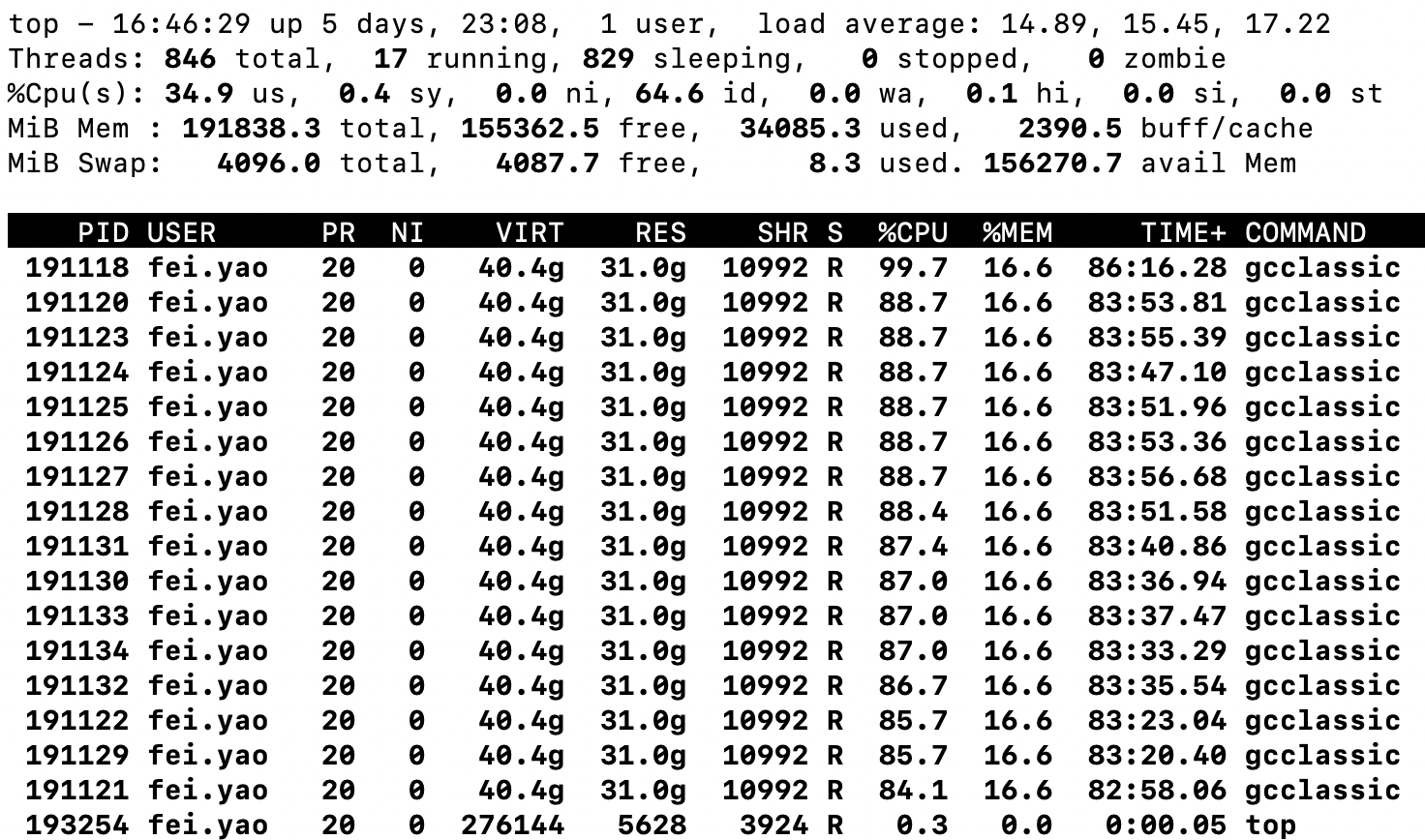
- GEOS-Chem全球大气化学传输模型的驱动数据存放在Pi集群: