/path/to/ExtData- GEOS-Chem全球大气化学传输模型的驱动数据存放在Pi集群:
/lustre/home/acct-fei.yao/share/ExtData,如需下载更多数据,须经课题组讨论通过,如数据也会被课题组其他成员使用。自定义数据请在HEMCO_Config.rc中单独定义路径。 - 自2026年起,绝大部分GEOS-Chem的驱动数据已被移至geos-chem.s3,包括先前存放在WashU的大量MERRA-2历史数据。因此,必须下载安装AWS CLI来访问这些数据,克服
sudo的自定义安装命令参考./aws/install -i /path/to/aws-cli -b /path/to/bin。
- GEOS-Chem全球大气化学传输模型的驱动数据存放在Pi集群:
- GEOS-Chem Classic (GCClassic)
- Sample environment file for the Intel oneAPI on Pi cluster at SJTU:
#!/bin/bash

# usage: source /path/to/set-GC-v14.1.1-intel-hpc.sh

#==============================================================================
# Modules (specific to Pi cluster at SJTU)
#==============================================================================

# Unload all modules
module purge

# compiler
module load oneapi/2021.4.0
export FC=ifort

# netCDF variables for cmake
module load netcdf-c/4.9.2-intel-2021.4.0
export NETCDF_C_ROOT=`nc-config --prefix`
module load netcdf-fortran/4.5.2-intel-2021.4.0
export NETCDF_FORTRAN_ROOT=`nf-config --prefix`
# hdf5/1.14.1-2-intel-2021.4.0 automatically loaded as per the above netCDF modules

# CMake 3.13 or higher is required
module load cmake/3.29.4-gcc-12.3.0

# Parallelization settings
# export OMP_NUM_THREADS=16 # to be set by $SLURM_CPUS_PER_TASK
ulimit -s unlimited
export OMP_STACKSIZE=500m
Note that Pi cluster at SJTU employs Intel Xeon CPUs, which means that the Intel oneAPI is the best choice for compiling and running GEOS-Chem. Do NOT use the GNU Fortran compiler in the absence of AMD CPUs. See discussion here.
- Sample run script for SLURM on Pi cluster at SJTU:
#!/bin/bash

#-- begin of SLURM options --
#SBATCH --chdir=/path/to/gc_2x25_47L_merra2_fullchem_RRTMG
#SBATCH --job-name=gc_2x25_47L_merra2_fullchem_RRTMG
#SBATCH --output=gcclassic.out
#SBATCH --error=gcclassic.err
#SBATCH --partition=cpu
#SBATCH --nodes=1
#SBATCH --ntasks=1
#SBATCH --cpus-per-task=16
#-- end of SLURM options --

# load the computing environment for running GCClassic
source /path/to/set-GC-v14.1.1-intel-hpc.sh
export OMP_NUM_THREADS=$SLURM_CPUS_PER_TASK

# run GCClassic
time -p ./gcclassic > GC.log 2>&1

# exit normally
exit 0
Note that GCClassic uses OpenMP, which is a shared-memory parallelization model. Using OpenMP limits GCClassic to one task (
--ntasks=1) with multiple threads (--cpus-per-task=16andexport OMP_NUM_THREADS=$SLURM_CPUS_PER_TASK) on a single node (--nodes=1). That said, we can submit as many GCClassic jobs as necessary to run simultaneously, for example, when conducting a series of emission reduction experiments. However, please limit the number of CPU cores per job to a reasonable value (typically 16), as GCClassic does not scale perfectly due to its unparallelizable portion of the code (Amdahl’s law). Please use computing resources responsibly, as every CPU hour incurs a cost. All activities on the HPC system are also monitored.
Also note that the maximum wall-time limit for a single job on the SJTU Pi cluster is 7 days. If your job is expected to run longer, you can request an extension from the system administrator at least 1 day in advance. However, the maximum wall time with an extension is 14 days in total. A more recommended approach is to schedule a bunch of jobs to run one after the other using the--dependencyoption in SLURM. Because there is almost no pending time for jobs in the SJTU Pi cluster, this approach perfectly mimics a long-running job while still respecting the wall-time limit. Refer to gcclassic.sh and gcclassic.sbatch for examples of how to make this happen!
- 提交作业后,可使用
squeue命令查看作业所在的计算节点,并登陆相关节点查看作业的运行情况。以下展示GCClassic作业的并行运行情况,这一技巧同样适用于其他作业。# 查看作业使用的计算节点 $ squeue --me # 进入相关计算节点 $ ssh casXXX # 查看作业的运行情况 $ top -u $USER -H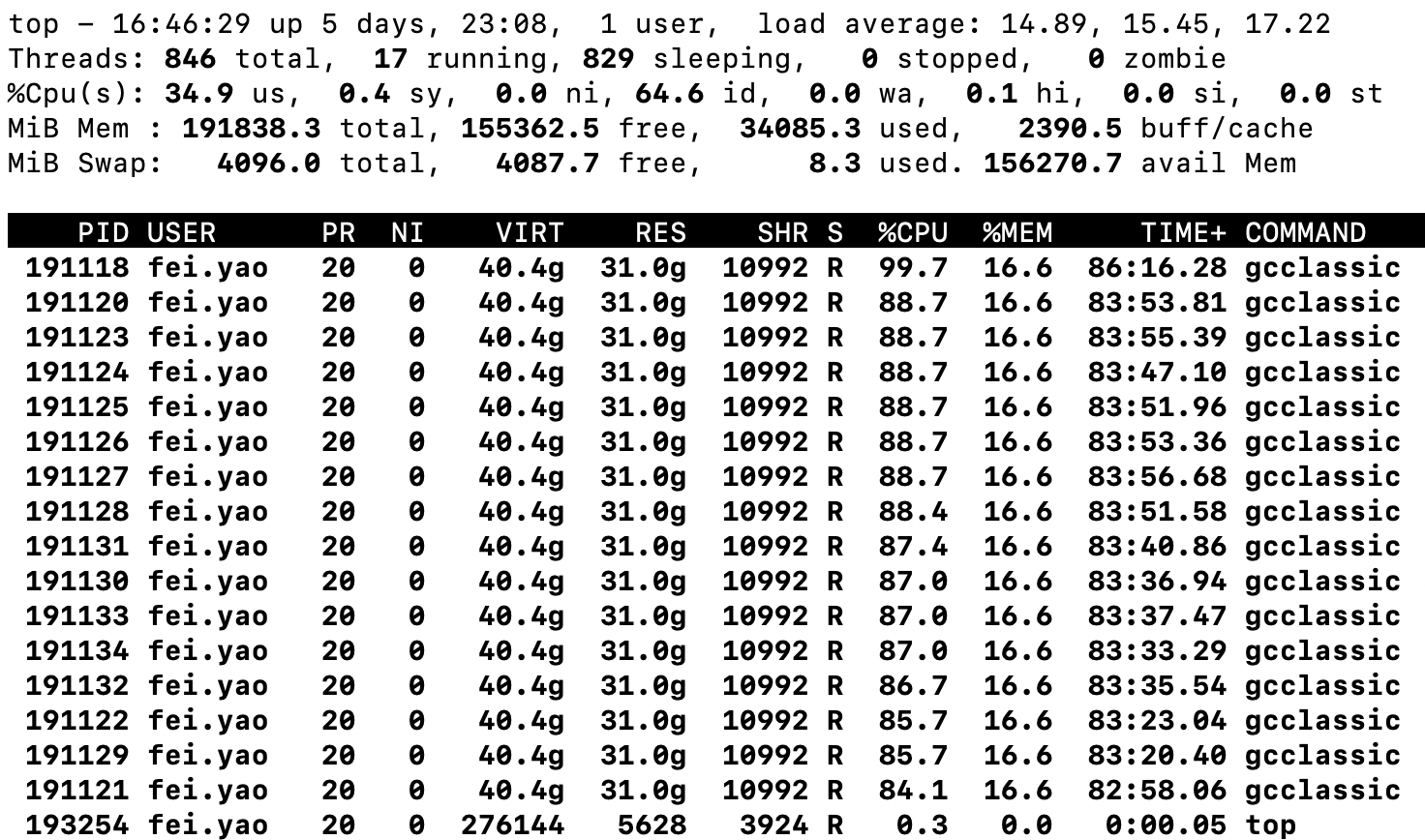
- Sample environment file for the Intel oneAPI on Pi cluster at SJTU:
- GEOS-Chem High Performance (GCHP)
- NOT used in our group yet,